StudioOps
Game Blueprint
Your game structure turned into a production plan.
What it isOverview
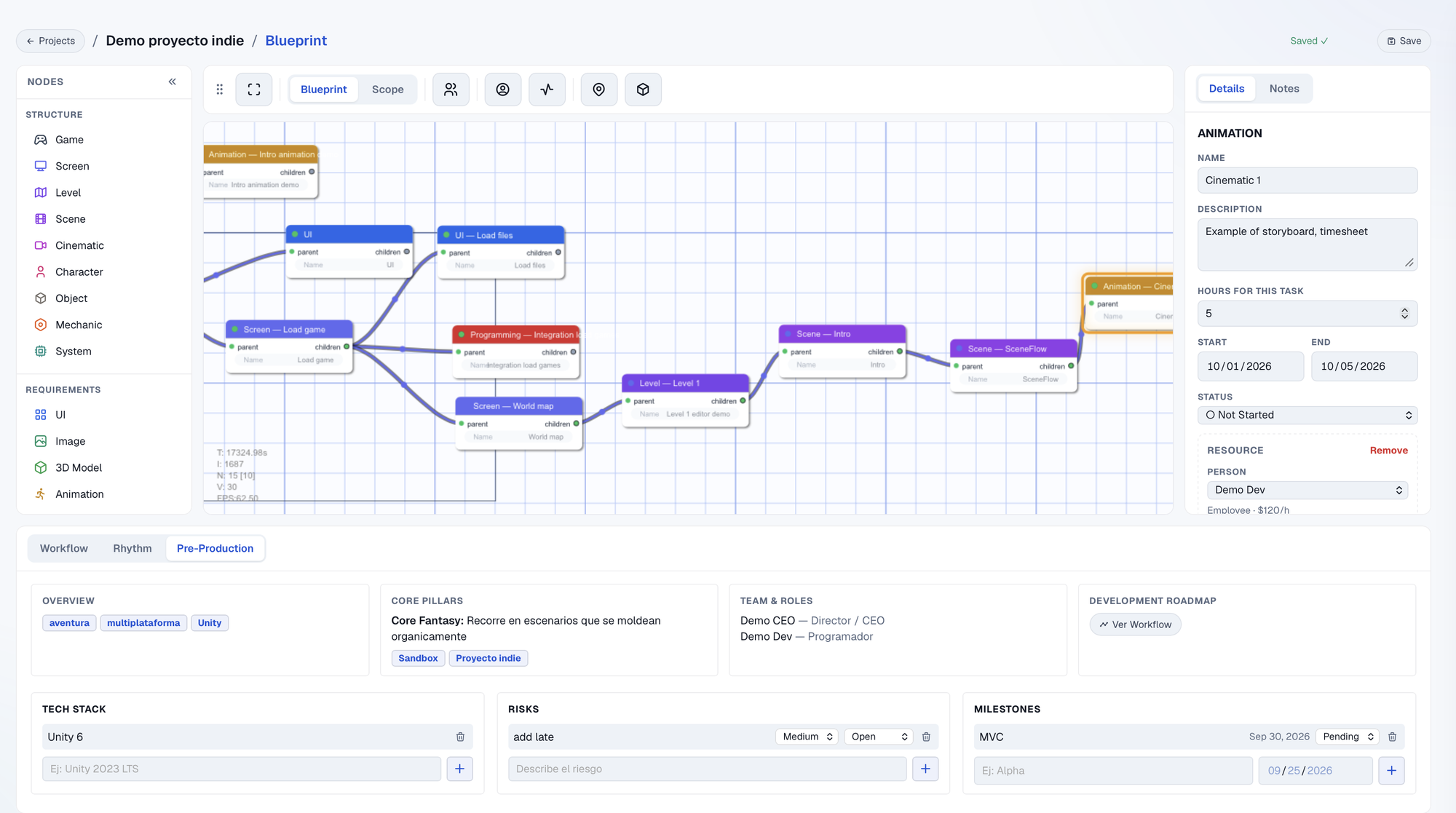
Blueprint is a node canvas where you build your game piece by piece: scenes, levels, characters, objects and mechanics. Each piece gets what it needs to exist (UI, art, 3D models, animation, audio, programming) with its hours and the person who does it. What starts as a diagram ends up being the real production plan: how much work it is, who does it and how much it costs.
What it solvesProblems
| The problem | How it solves it |
|---|---|
| The GDD says what the game is, but not how much work it is. | Every requirement has hours and an owner, so scope measures itself. |
| Scope grows without anyone noticing. | The Scope view adds up hours and cost as soon as you add a node. |
| Design, schedule and budget live in different files. | The same graph feeds Workflow (Gantt), Budget and Storyboard. |
How to use itHow to
- 1 Build the structureDrag Game, Scene, Level, Character or Object nodes from the palette and connect them.
- 2 Add requirementsAttach what each piece needs: UI, image, 3D model, animation, audio or programming.
- 3 Assign hours and peopleIn the Inspector you set the task hours and connect the team member with their rate.
- 4 Check Scope and WorkflowSee total hours and cost, and the Gantt with real dates per requirement.
Try it with a real project
Every tool lives inside My Studio, connected to the same project.