StudioOps
Level Editor
Design each level: shapes, enemies, player routes and acts.
What it isOverview
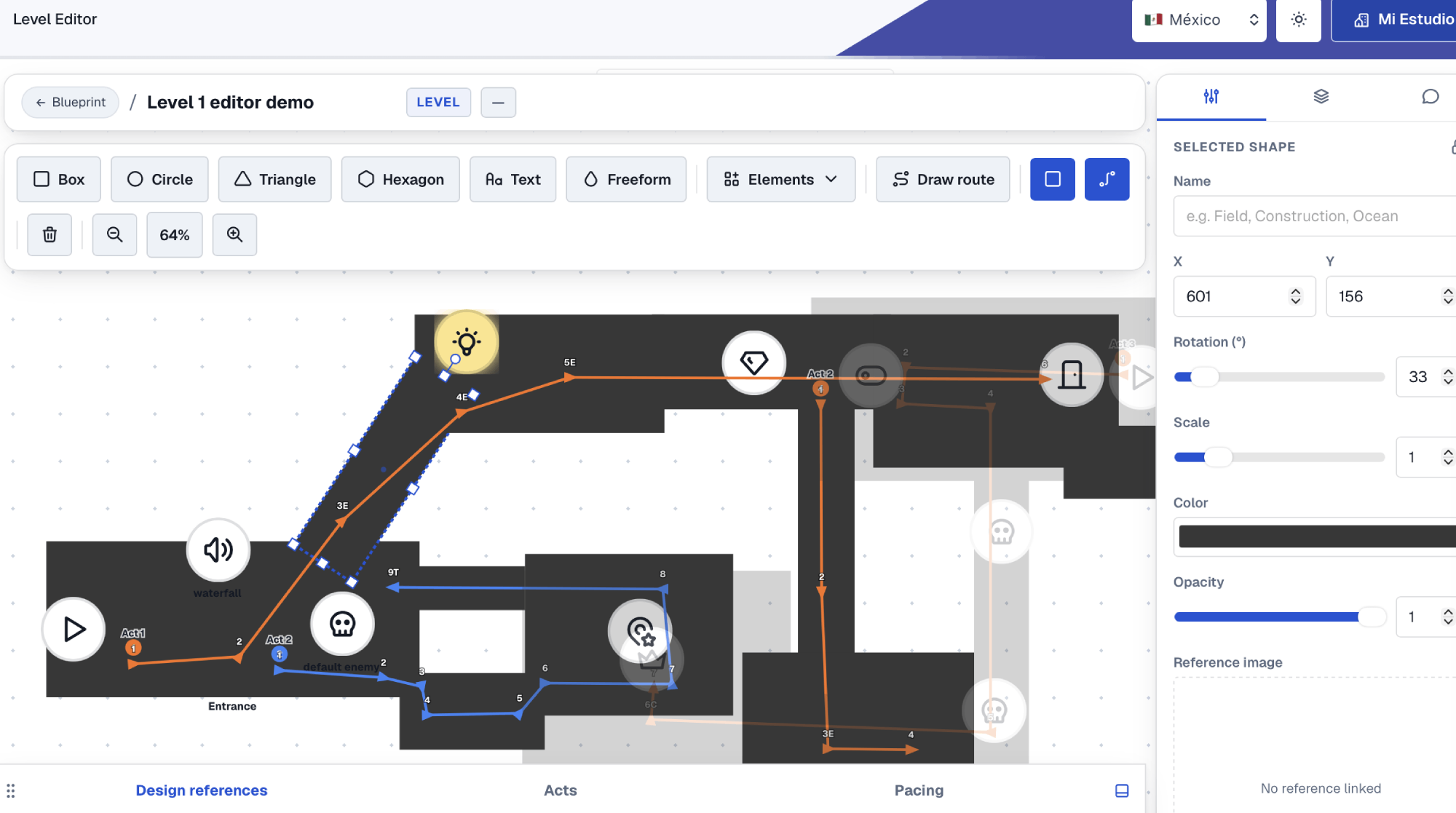
Level Editor is where you sketch each level's layout before building it in the engine. You draw the space with shapes, place gameplay icons (start, enemies, bosses, cameras, lights, doors, collectibles) and trace the player's route with arrows. Everything is organized by acts and connected to the Blueprint level, so design and the production plan talk about the same thing.
What it solvesProblems
| The problem | How it solves it |
|---|---|
| The layout lives on a napkin or a loose screenshot. | The level has its own editable map, saved with the project. |
| Nobody knows where the player is supposed to go. | Numbered routes with arrows mark the path per act. |
| The level's enemies and bosses don't match the game's characters. | Enemies and bosses link to the real characters in Blueprint. |
How to use itHow to
- 1 Draw the spaceBox, circle, triangle, hexagon or freeform for water or irregular terrain.
- 2 Place the gameplayFrom Elements you add start, enemies, bosses, angled cameras and colored lights.
- 3 Trace the routeWith Draw route you mark the player's path, with direction and order.
- 4 Adjust and commentMove, rotate and scale with the gizmo; leave comments per element for the team.
Try it with a real project
Every tool lives inside My Studio, connected to the same project.