StudioOps
Storyboard
Shots per scene, connected to the animation Timesheet.
What it isOverview
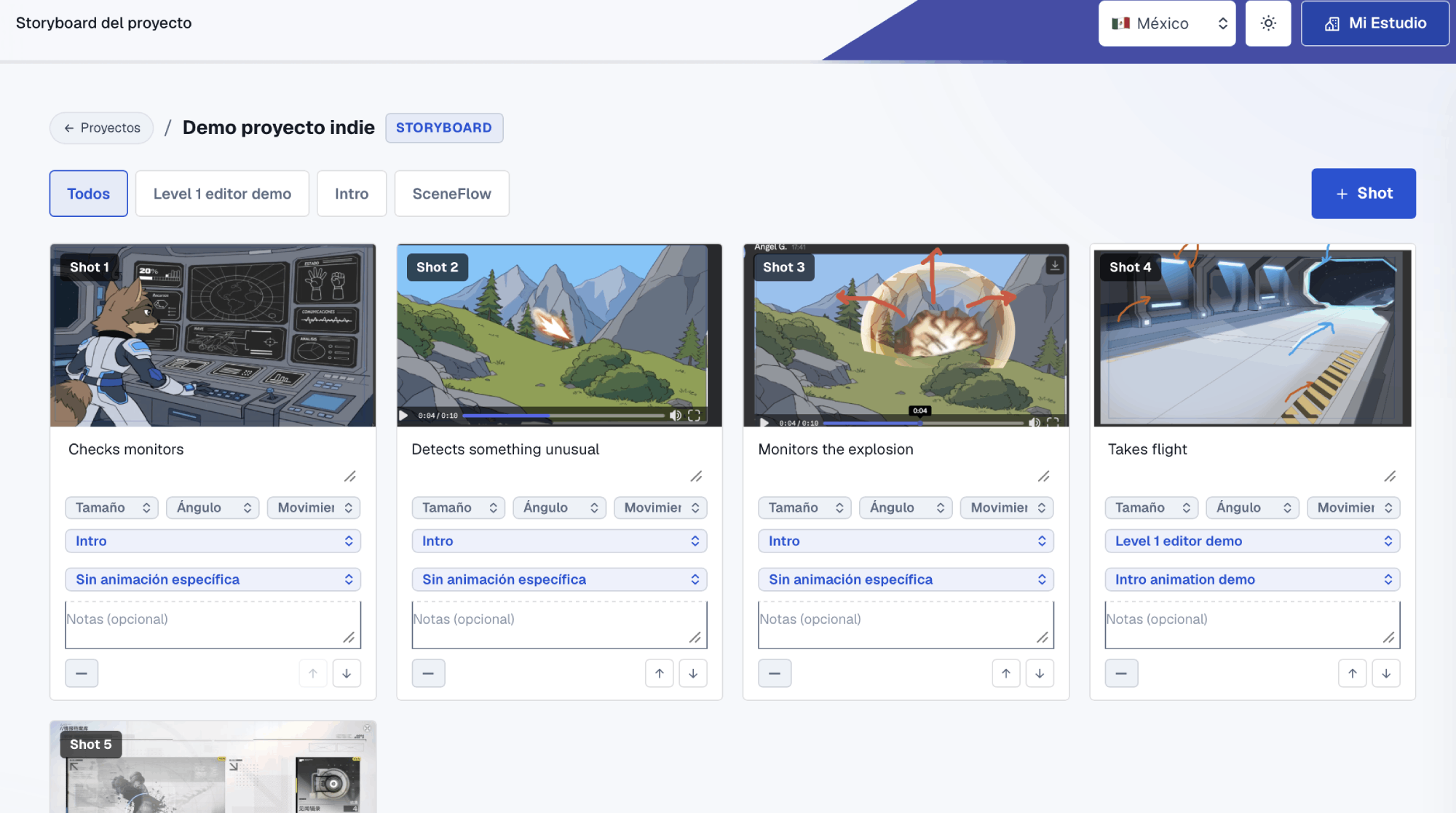
Storyboard is a grid of numbered shots to plan cinematics and sequences. Each shot has its image, the action, shot size, angle and camera movement, and it's linked to a real scene or level from Blueprint. If the animation already exists, you pick it and the shot connects to the Timesheet.
What it solvesProblems
| The problem | How it solves it |
|---|---|
| Storyboards in a PDF or another app, separate from the game. | Each shot belongs to a scene in the same project's Blueprint. |
| The animator doesn't know which shot is theirs or with which camera. | Size, angle and movement are defined on the shot, next to the image. |
| Reordering a sequence means redoing everything. | Shots are reordered with arrows and filtered by scene. |
How to use itHow to
- 1 Pick the sceneThe tabs show the scenes and levels that already exist in Blueprint.
- 2 Add shotsWith "+ Shot" you create a new one and upload its image from the Media Library.
- 3 Define the cameraShot size, angle, movement and the action in the shot.
- 4 Connect the animationPick the animation from Blueprint and the shot is linked to the Timesheet.
Try it with a real project
Every tool lives inside My Studio, connected to the same project.