Legal
Contracts & signing
Contract, NDA and IP clause for each team member, and what is still unsigned.
What it isOverview
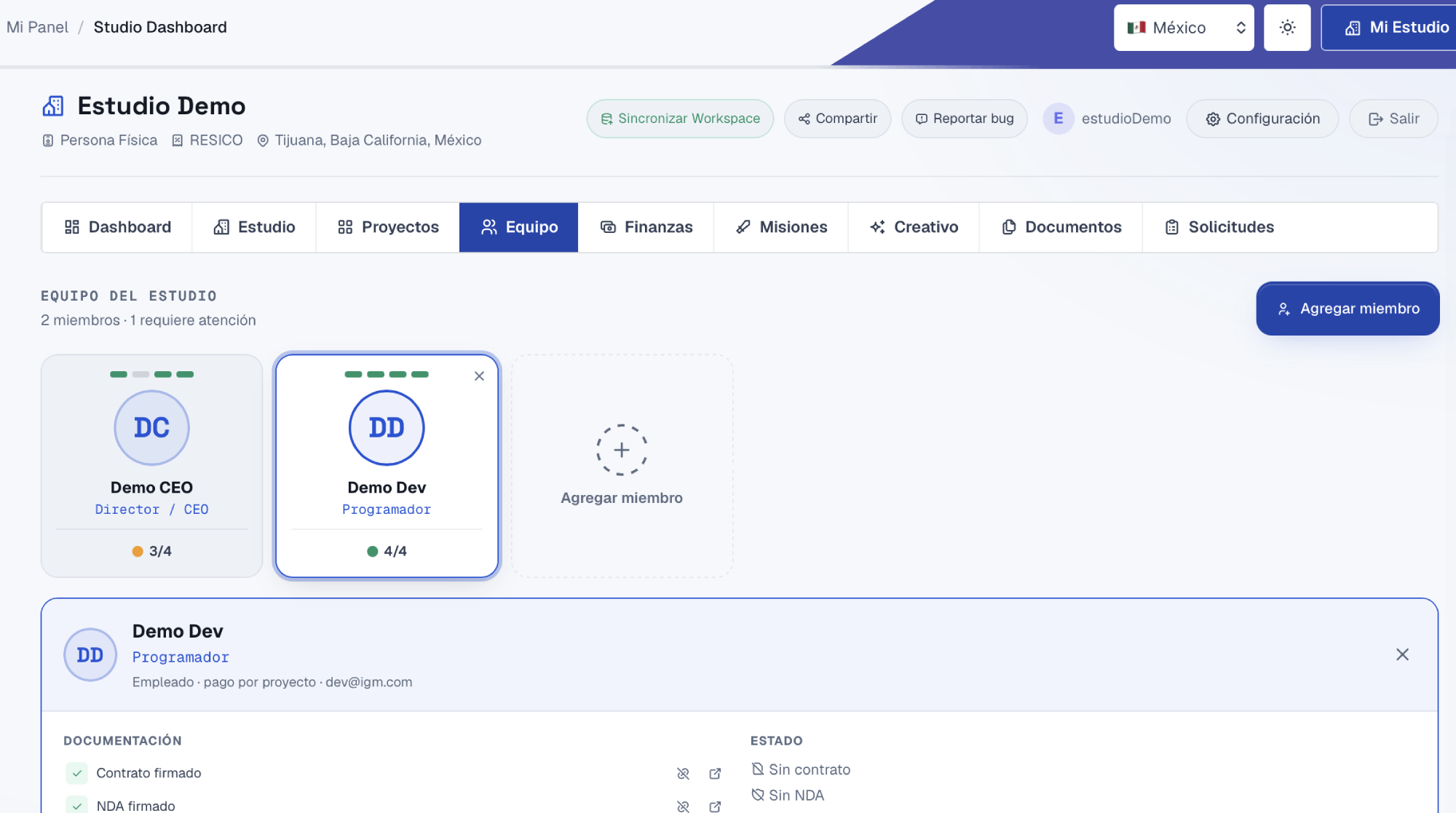
In the Studio Dashboard's Team tab each person has a card with a documentation traffic light: signed contract, signed NDA, intellectual property clause and defined payment type. From there you generate the contract, email it and the person signs it online. If there are two or more co-founders, the Partners Agreement is signed by all of them on the same document.
What it solvesProblems
| The problem | How it solves it |
|---|---|
| Working with friends with nothing signed. | The traffic light shows in red who has no contract or NDA. |
| A collaborator leaves and it's unclear who owns their art or code. | The IP clause puts in writing that what was created belongs to the studio. |
| Printing, signing, scanning and losing the file. | Signing is online and the contract is saved with its status. |
How to use itHow to
- 1 Add your teamName, role, relationship type, payment and email for each person.
- 2 Check the traffic lightEach card shows how many of the 4 documents it has (0/4 to 4/4).
- 3 Generate and sendCreate the contract or NDA and send it; the person signs from the link.
- 4 Sign between partnersWith 2+ co-founders the Partners Agreement appears, signed by everyone.
Try it with a real project
Every tool lives inside My Studio, connected to the same project.