Game Docs
GDD, art, levels and game systems in documents connected to production.
What it isOverview
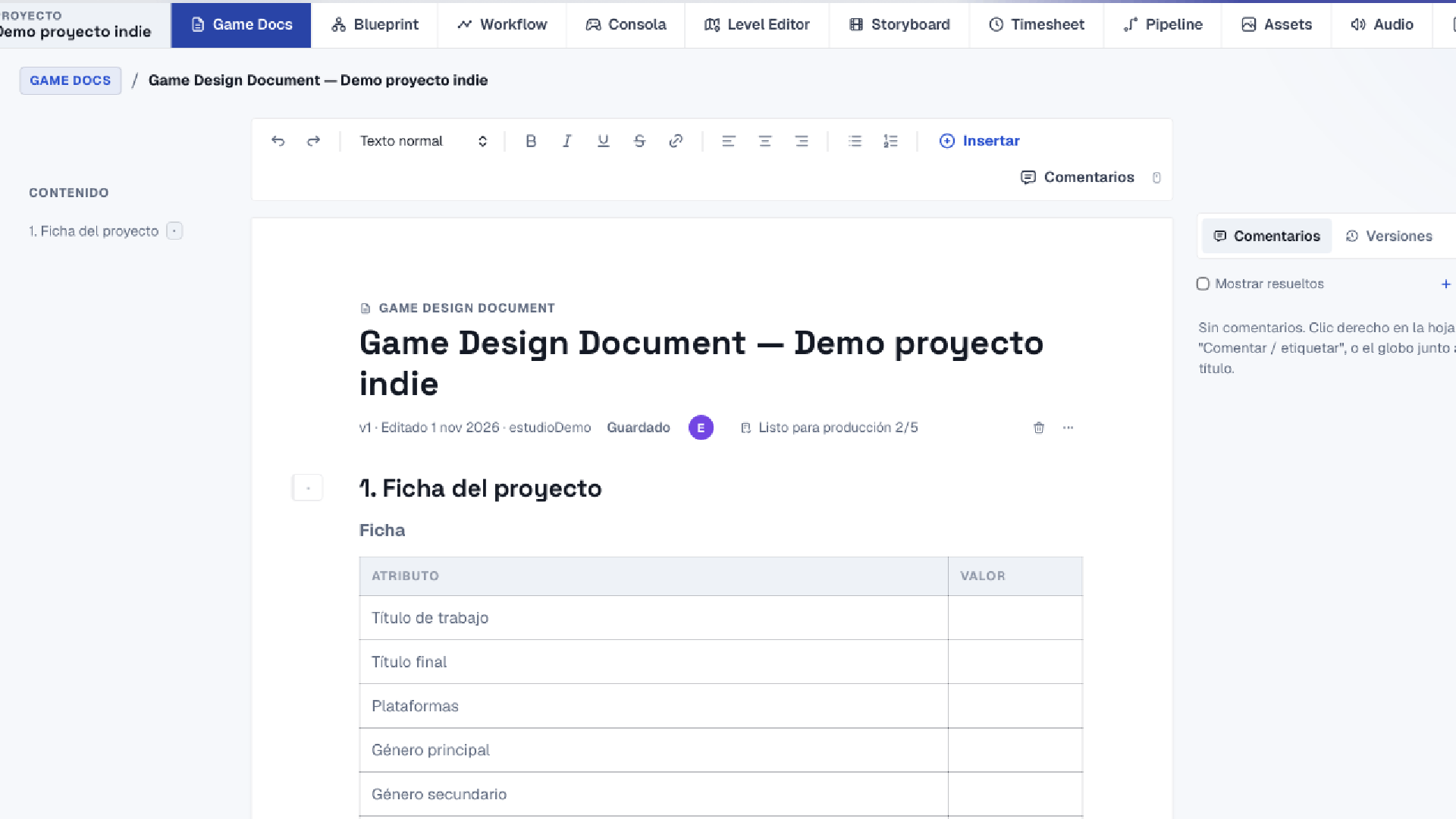
Game Docs brings together each project's design documentation: Game Design Document, Art Direction Guide, Technical Design Document, Level Design Document and per-system documents (characters, combat, enemies and bosses, economy, narrative, progression, UI/UX, audio and QA). Each template comes with the sections a studio needs, such as key selling points, content and quality per milestone, competitors, materials, lighting or animation style, with tables, formulas and sheets ready to fill in. The team edits in real time with comments and versions, and documents connect to the Blueprint: the characters, moves and levels you define there show up in the document without copying them by hand.
What it solvesProblems
| The problem | How it solves it |
|---|---|
| The GDD is an 80-page file nobody opens again. | One document per topic (art, combat, levels), each with its owner and progress. |
| Starting from a blank page means key sections go missing. | Templates based on real studio documents, with guiding questions in every section. |
| Design says one thing and production another. | Characters, moves and levels come from the Blueprint, so the document and the plan stay together. |
How to use itHow to
- 1 Pick a templateGDD, Art Direction Guide, LDD, TDD or a per-system document, inside your project.
- 2 Fill it in by sectionText, tables, formulas and sheets; each section explains what it should answer.
- 3 Work with your teamReal-time editing, per-section comments and versions to roll back to.
- 4 Connect to productionWhat you define in the Blueprint shows up in the document and vice versa.